

Collage Maker

Collage Maker

Create beautiful photo collages online with the free GoodieTools Collage Maker. Combine up to 20 images, choose from multiple layout styles, or arrange every photo exactly where you want it with Free Placement. Overlap images, resize and layer them, add text, customize backgrounds and spacing, and export your finished collage as JPG, PNG or WebP. Everything is processed locally in your browser.


Live preview1080 × 1080 px

Free Placement: drag photos anywhere, overlap them, and resize with the corner handle. Use layer controls to change which photo appears on top.

▧Your collage starts hereAdd at least two photos to begin.
🔒 Processed locally in your browser0 photos


Tutorial

1. Add your photos

Click the upload area or drag images into the tool. You can also add images using an image URL. Add up to 20 photos.

2. Choose a layout

Select the layout that suits your project:

  • Auto Layout: Automatically arranges your photos.

  • Grid Layout: Creates a structured photo grid.

  • Mosaic Layout: Arranges photos in a mosaic.

  • Polaroid: Gives your collage a classic photo-print appearance.

  • Contact Sheet: Displays multiple images in an organized overview.

  • Before & After: Places images together for comparison.

  • Free Placement: Arrange images freely on the canvas.

3. Arrange images freely

Select Free Placement to take control of the canvas.

  • Drag photos to any position.

  • Move photos over or underneath other photos.

  • Overlap images to create layered compositions.

  • Resize individual images.

  • Use layer controls to bring an image forward or send it backward.

4. Customize your collage

Adjust the canvas size, background color, spacing, image corners and other layout settings. Choose a preset or enter custom dimensions.

5. Add text

Add captions or text to give your collage a personal touch.

6. Export your collage

Choose JPG, PNG or WebP. Adjust the image quality where available and export your finished creation.

Tips

  • Use Free Placement when you want complete control over image positions.

  • Overlapping photos can create depth and more interesting compositions.

  • Use consistent spacing for a clean, organized result.

  • Try different canvas presets for social media and print projects.

Privacy

Your images are processed locally in your browser. They are not uploaded to a server for collage processing.

Birthday Countdown

Birthday Countdown

Make every birthday special with GoodieTools Birthday Countdown! Count down the days, hours, minutes and seconds until the next birthday. Add a personal name, message and photo, choose exciting celebration effects, and share your countdown with friends and family. Free, browser-based and easy to use.


Birthday Countdown

Make every birthday feel special. Create a countdown, personalise the celebration and share it with friends.

--Days
:
--Hours
:
--Minutes
:
--Seconds
Ready
Celebration effects
Shown only on this device. Photos are never included in share links.

Your settings and photo stay in your browser. Share links contain the date and text settings only, never your photo.


Tutorial

  1. Select the birthday date

    Choose the birth month and day. You can optionally enter the birth year to calculate the age at the next birthday.

  2. Personalise your countdown

    Add the birthday person’s name and an optional custom message. Your message can appear when the countdown reaches the celebration.

  3. Choose celebration effects

    Select your preferred effects:

    • Fireworks
    • Confetti
    • Balloons
    • Birthday cake

    You can combine effects to create a bigger celebration.

  4. Add a personal photo

    Choose an optional photo from your device. It can appear on the celebration screen. The photo stays on your device and is never included in a share link.

  5. Adjust the display

    Choose optional celebration sound, fullscreen landscape mode or clock-only display.

  6. Preview the celebration

    Use Preview Celebration to see the effects before the actual birthday. You can also run a test countdown to check the full experience.

  7. Start the countdown

    Click Start Countdown to begin the live countdown. The display updates automatically every second.

  8. Share your countdown

    Click Copy Share Link to create a link containing the birthday date and selected text and effect settings. Friends and family can open the link to see the countdown.

  9. Add the birthday to your calendar

    Use Add to Calendar to download an ICS calendar file with an annually recurring birthday reminder.

Tips

  • Leave the birth year empty if you only want a countdown without an age calculation.
  • Use fullscreen mode when displaying the countdown on a TV or larger screen.
  • Try the different celebration effects before sharing your countdown.
  • Remember that optional photos are local and are not transferred through share links.

Privacy

Birthday Countdown runs in your browser. No account is required and no birthday information or photos are uploaded to DesktopGoodies. Share links contain the date and selected text and effect settings, but never the optional photo.

Color Conversion

Color Conversion

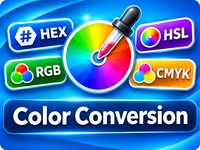
Convert colors between HEX, RGB, HSL, HSV and CMYK with the free Color Conversion tool from GoodieTools. Choose a conversion type, use the built-in color picker, see results update instantly, and copy individual color values with one click. You can also convert a color into all supported formats at once. Everything runs locally in your browser.


#3366CC

Enter a color in the selected format or use the color picker. Results update automatically.

Color conversion happens locally in your browser. No color data is uploaded.


Tutorial

  1. Choose a conversion typeOpen the Conversion Type dropdown and select the format you want to convert from and to. You can also choose Convert to All Formats to display HEX, RGB, HSL, HSV and CMYK values at the same time.
  2. Enter a color valueType your color value in the input field. The expected format is shown beside the field.
  3. Use the color pickerPrefer choosing a color visually? Use the built-in color picker. The color value and conversion results update automatically.
  4. View the color previewThe selected color is displayed as a color swatch together with its HEX value.
  5. Check the conversion resultsThe converted value or values appear below the preview. Results update automatically as you change the input.
  6. Copy a resultClick the Copy button beside any result to copy that color value to your clipboard.
  7. Swap the conversion directionUse the swap button to reverse the selected conversion direction, for example from HEX to RGB to RGB to HEX.

Tips

  • Use Convert to All Formats when you need several color values for the same color.
  • The color picker is a quick way to explore different colors without typing codes.
  • Make sure your input uses the selected color format.
  • RGB values use a range from 0 to 255. HSL and HSV use degrees for hue and percentages for the other values. CMYK uses four percentages.

Privacy

Color conversion is performed locally in your browser. Your color values are not uploaded to DesktopGoodies.