Birthday Countdown
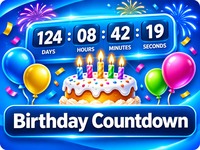
Make every birthday special with GoodieTools Birthday Countdown! Count down the days, hours, minutes and seconds until the next birthday. Add a personal name, message and photo, choose exciting celebration effects, and share your countdown with friends and family. Free, browser-based and easy to use.
Birthday Countdown
Make every birthday feel special. Create a countdown, personalise the celebration and share it with friends.
Your settings and photo stay in your browser. Share links contain the date and text settings only, never your photo.
Tutorial
- Select the birthday date
Choose the birth month and day. You can optionally enter the birth year to calculate the age at the next birthday.
- Personalise your countdown
Add the birthday person’s name and an optional custom message. Your message can appear when the countdown reaches the celebration.
- Choose celebration effects
Select your preferred effects:
- Fireworks
- Confetti
- Balloons
- Birthday cake
You can combine effects to create a bigger celebration.
- Add a personal photo
Choose an optional photo from your device. It can appear on the celebration screen. The photo stays on your device and is never included in a share link.
- Adjust the display
Choose optional celebration sound, fullscreen landscape mode or clock-only display.
- Preview the celebration
Use Preview Celebration to see the effects before the actual birthday. You can also run a test countdown to check the full experience.
- Start the countdown
Click Start Countdown to begin the live countdown. The display updates automatically every second.
- Share your countdown
Click Copy Share Link to create a link containing the birthday date and selected text and effect settings. Friends and family can open the link to see the countdown.
- Add the birthday to your calendar
Use Add to Calendar to download an ICS calendar file with an annually recurring birthday reminder.
Tips
- Leave the birth year empty if you only want a countdown without an age calculation.
- Use fullscreen mode when displaying the countdown on a TV or larger screen.
- Try the different celebration effects before sharing your countdown.
- Remember that optional photos are local and are not transferred through share links.
Privacy
Birthday Countdown runs in your browser. No account is required and no birthday information or photos are uploaded to DesktopGoodies. Share links contain the date and selected text and effect settings, but never the optional photo.