
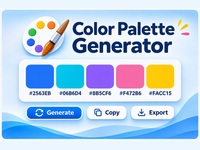
Color Palette Generator
Create beautiful color palettes in seconds with this free online Color Palette Generator. Generate harmonious color schemes, explore HEX, RGB and HSL values, lock your favorite colors, and export your palette as a PNG image or CSS variables.
Tip: Lock colors you want to keep, then generate a new palette. Click a HEX value to copy it. Your palette is created in your browser. No data is uploaded.
Tutorial
What is a color palette and why use one?
A color palette is a collection of colors that work well together. You can use it whenever you create something that needs a consistent visual style.
For example, you might need a color palette when:
- Building a website: Choose colors for backgrounds, headings, buttons, links and other elements.
- Creating a brand identity: Select a set of colors for your logo, website, business cards and marketing materials.
- Designing social media posts: Use the same colors across Instagram graphics, Facebook posts and advertisements.
- Making presentations: Give your slides a consistent look instead of using random colors on every page.
- Creating graphics: Find colors that work well together for posters, banners, invitations and other designs.
The generator helps you discover color combinations without having to choose every color yourself.
1. Choose a color scheme
Select a style from the Color Harmony dropdown.
Here is what the different options are useful for:
- Random: Explore unexpected combinations and find new inspiration.
- Complementary: Choose contrasting colors. Useful when you want buttons, headings or important details to stand out.
- Analogous: Choose colors that are close together on the color wheel. Useful for calm, harmonious designs.
- Triadic: Combine three color groups that are evenly spaced on the color wheel. Useful for colorful and lively designs.
- Monochromatic: Use different shades of one color. Useful for simple, elegant and consistent designs.
2. Generate a palette
Click Generate Palette to create five matching colors.
Imagine that you are designing a website. You could use:
- Color 1 for the main background.
- Color 2 for buttons and links.
- Color 3 for headings and important details.
- Color 4 for cards, boxes and secondary sections.
- Color 5 for small accents and highlights.
These are suggestions, not fixed rules. Experiment until you find a combination that suits your project.
3. Lock and customize colors
Found a color you really like? Click Lock to keep it when generating a new palette.
You can lock several colors and generate new combinations for the remaining ones.
You can also use the color picker to change an individual color manually.
This is especially useful if you already have a brand color or want to match a particular image or design.
4. Copy colors for your project
Each color has three available formats:
- HEX: Commonly used in websites, CSS and graphic design software.
- RGB: Useful in digital graphics and applications that use red, green and blue values.
- HSL: Describes hue, saturation and lightness, making it easier to understand and adjust colors.
Click a HEX value to copy that individual color.
Use Copy HEX Codes to copy all five HEX values together.
Use Copy CSS to copy the complete palette as CSS variables. You can paste these directly into your website’s stylesheet.
5. Download and save your palette
Click Download PNG to save an image containing your five colors and their color codes.
You can keep this image as a reference while working on your website, presentation, social media graphics or other design projects.
Tips
- Start with a project in mind, such as a website, logo or social media design.
- Choose a main color first and lock it before experimenting with other colors.
- Use contrasting colors for important buttons and calls to action.
- Avoid using all five colors equally. Usually, one or two main colors with a few accent colors create a cleaner design.
- Try different color schemes until you find a palette that fits the mood and purpose of your project.
- Save your favorite palettes as PNG images so you can reuse them later.