
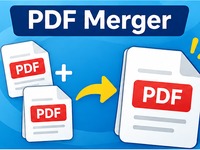
PDF Merger
Combine multiple PDF files into one document in seconds. Upload, reorder and merge your PDFs easily with this free online tool. Fast, simple and processed directly in your browser.
Merge PDF Files
Combine multiple PDF documents into one file. Arrange the order, remove unwanted files and download your merged PDF.
Selected PDF files (0)
No PDF files selected yet.
Privacy: Your PDF files are processed locally in your browser. They are not uploaded to our server.
Tutorial
1. Add your PDF files
Click Choose PDF Files and select the PDF documents you want to combine. You can select multiple files at once or add them using drag and drop.
2. Arrange the file order
The files appear in the order they will be merged. Use the up and down arrows to move documents into the correct position. Remove any files you don’t want to include.
3. Merge your PDFs
Click Merge PDFs to combine the selected documents into one PDF file. The tool processes the documents directly in your browser.
4. Download the merged document
When the merge is complete, click Download PDF to save your combined document to your computer.
Tips
- You can merge up to 20 PDF files at once.
- The total file size can be up to 100 MB.
- Arrange your files before merging to get the correct page order.
- Your files are processed locally in your browser and are not uploaded to a server.
- Keep the original PDF files until you have checked the merged document.