
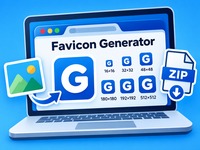
Favicon Generator
Create professional favicons for your website in seconds! Upload an image or design your own icon using text, colors and shapes. Generate all essential favicon sizes and download a complete package ready for your website.
PNG, JPG, WebP or SVG. A square image with a simple, bold design usually works best.
Live preview
Your design is previewed at common favicon sizes. Fine details may disappear at 16 × 16 pixels.
Tutorial
How to Use the Favicon Generator
-
Choose your source: Upload an image or create a favicon using text and initials.
-
Customize your design: Select colors, background shape and image positioning.
-
Preview your favicon: Check how your icon looks in different sizes.
-
Generate icons: Create favicon files for browsers, Apple devices and Android devices.
-
Download your package: Download the ZIP file containing all generated icons, HTML code and manifest files.
-
Add it to your website: Upload the files to your website and insert the provided HTML code into your page header.
Tip: Use a simple design with clear shapes and strong contrast. Favicons are often displayed at very small sizes.